What is v2ray?v2ray is a protocol software for handling network interaction, routing, and other network-environment-related processing. It can easily manage the network environment used by your computer, browser, and software, and obfuscate and disguise transmission for your local network environment. V2Ray has developed a total of 32 transport protocols at the top layer. The one we have used most is wechat-video (that is, the transport used to unlock Netflix and other streaming services), and the most basic ones are the TCP and UDP transport protocols!
v2ray supports standard Socks protocol implementation, including traditional compatibility with Socks 4, Socks 4a, and Socks 5, and it is also a UDP streaming proxy protocol.
Advantages of using v2ray!
1. v2ray is fully compatible with Socks4, Socks4a, and Socks5 proxies, ensuring a secure and stable network environment!
2. v2ray can implement per-app proxying, allowing your environment to be separated in the way you need!
3. v2ray has packet obfuscation, similar to the obfuscation in Shadowsocks-rss. In addition, mKCP packets can also be disguised, making common traffic look normal and harder to identify
4. v2ray routing function lets you freely set the direction of specific packets, and it can be used for ad blocking and anti-tracking
The compatibility principle between Socks5 and v2ray!
The Socks5 configuration is divided into two parts, InboundConfigurationObject and OutboundConfigurationObject, which correspond to the settings items in the inbound and outbound protocol configurations.
Although socks outbound can be used as a configuration for external access, the socks protocol does not encrypt transmission and is not suitable for transmission over the public internet. A more meaningful use of socks outbound is in special cases where only a socks proxy can be used to access an internal network externally, serving as a front proxy for other protocol connections to the proxy server.
The authentication method for the Socks protocol supports the "noauth" anonymous mode and the "password" username-password mode. The default value is "noauth".
Recommended posts9 Best Static Residential Proxies (ISP Proxies) in the World
Introducing the detailed steps for connecting v2ray to a Socks5 static residential proxy
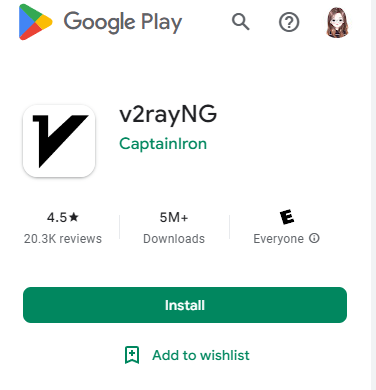
1Download and install v2ray
Download v2ray from the Google App Store, or go to the official v2ray download. The official v2ray site is a GitHub mirror repository, worth checking out, but there are too many official versions, and I still find it hard to get used to. I usually choose the v2rayNG version!
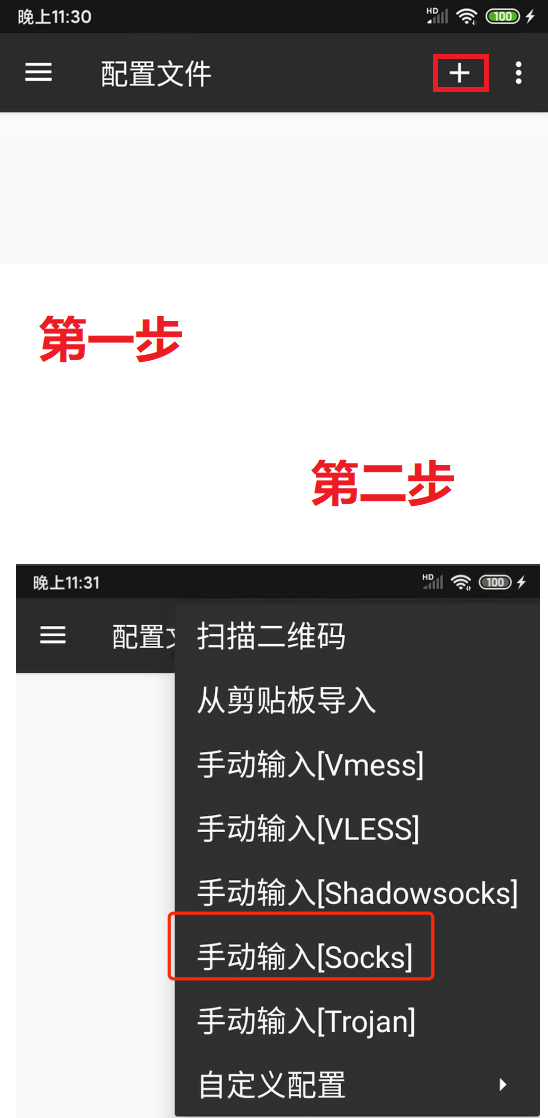
2Add and import a Socks5 proxy in v2ray
Open the v2ray app, click the + sign in the sidebar, and choose "Manual input [Socks]". What you need to note is that the account information must be complete and accurate, and there must be no spaces or errors in the account password!
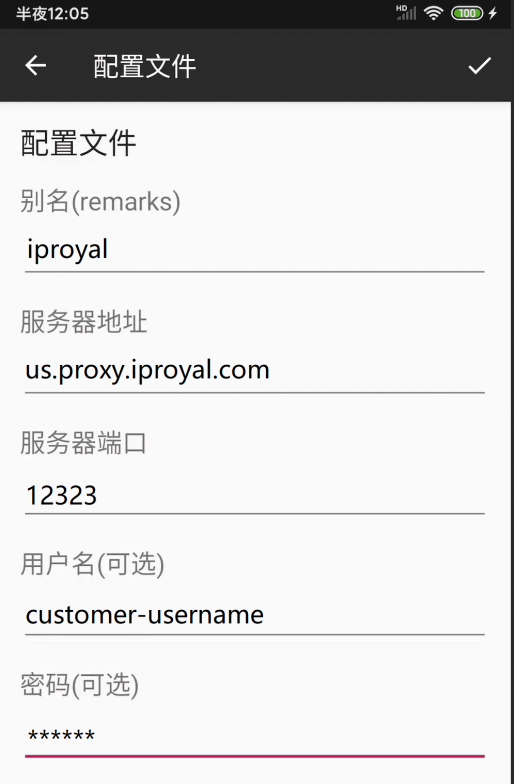
3Enter the Socks5 proxy information correctly
Following the previous step, correctly fill in the Socks5 proxy information you purchased
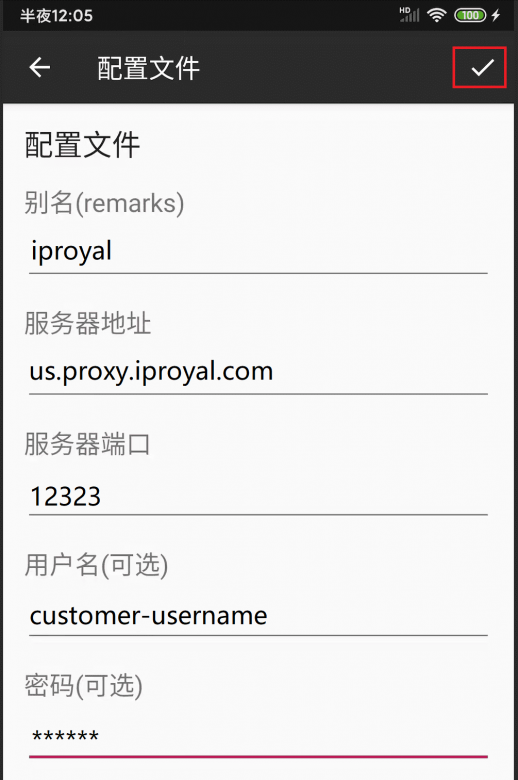
4Save information
After confirming the information is filled in correctly, click the ✓ in the upper right corner to save the node information.
5Set up the proxy
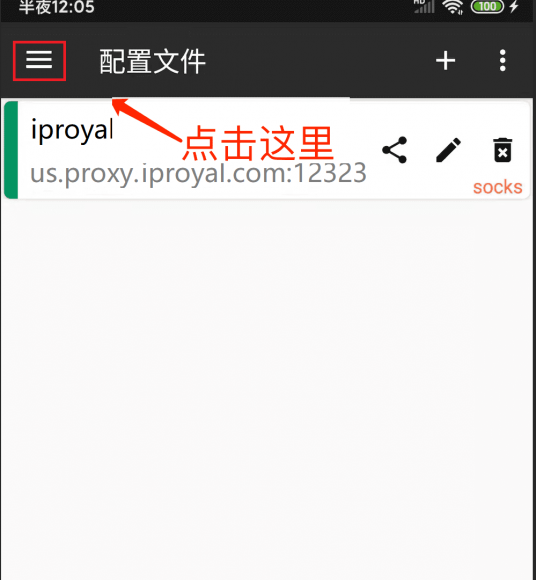
The interface will jump back to the proxy node list. Open the menu in the upper left corner and click Settings:
6Set DNS and local routing
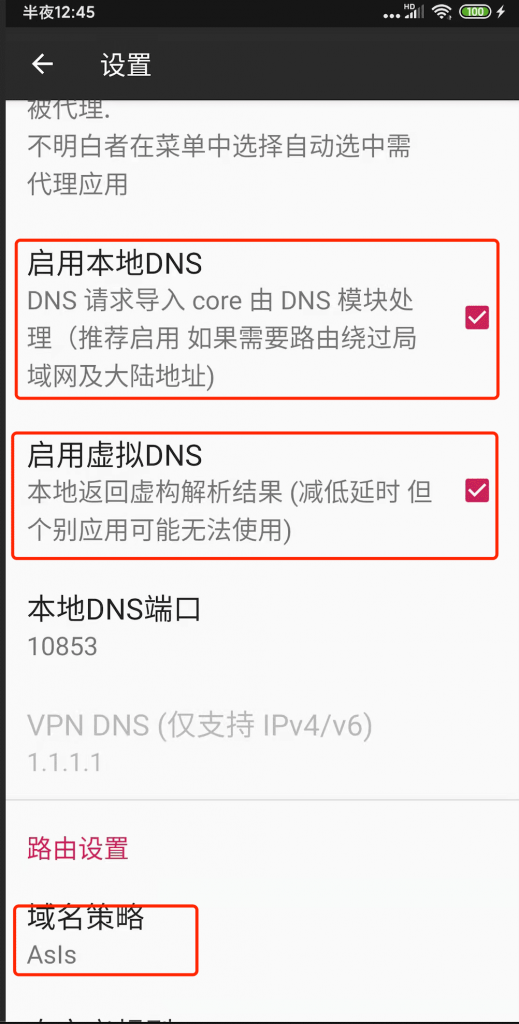
Here we select Enable local DNS, Enable virtual DNS (if you do not have this option, you can ignore it), choose Asls for the domain strategy (recommended), then return to the list page:
7Start the v2ray proxy
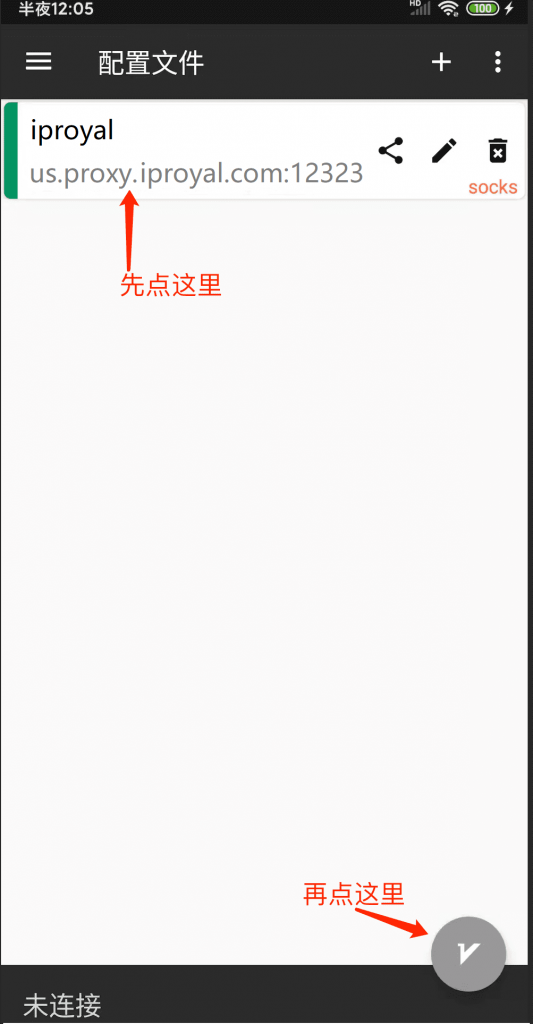
At this point, select (tap) the node we just added, then click the button in the lower right corner of the screen to connect to our node:
8Check the proxy
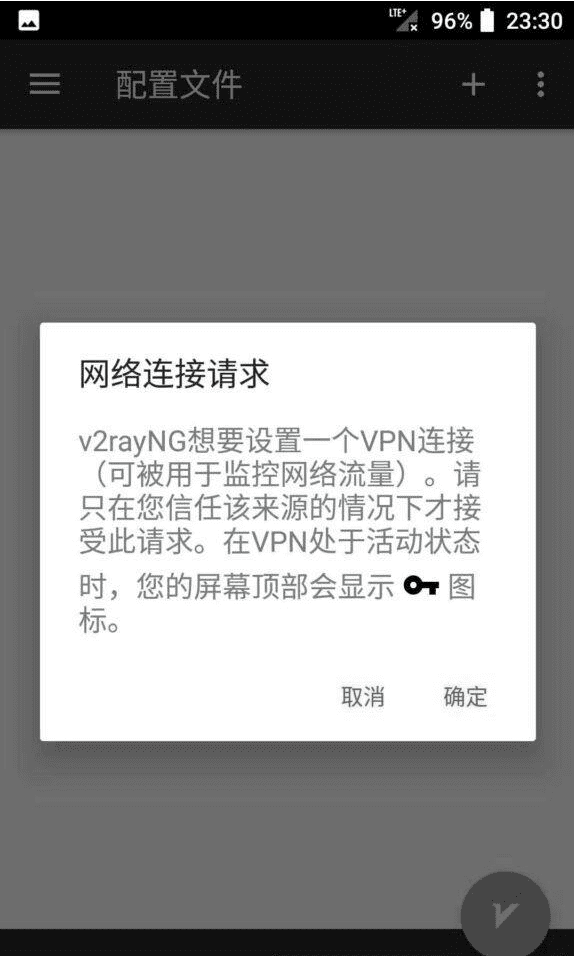
At this point, a 🔑 symbol appears in the phone signal bar, proving that your proxy has started successfully. You can also tap the bottom of the app to check the ping value of your proxy
Summary
The socks protocol definitely requires less computation than the vmess protocol. For example, ss, ssr, and boork ultimately connect through the socks5 protocol. All online games need to pass through socks5, so the computation cannot be too heavy.
SOCKS does not have that much encryption. SOCKS is actually a network proxy protocol. SOCKS proxies are further divided into SOCKS4 and SOCKS5. The difference is that SOCKS4 only supports the TCP protocol (Transmission Control Protocol), while SOCKS5 supports both TCP and UDP (User Datagram Protocol), and also supports various authentication mechanisms, server-side domain name resolution, and more.
SOCK5 can do everything SOCKS5 can, but SOCKS5 can do things SOCK4 may not be able to do! The socks protocol is a very good choice for gaming and watching videos, so feel free to try it out!
Recommended postsIPRoyal Speed and Performance Measurement and Purchase Plan!